

Guides
How to use financial chat in Granite
Ask Granite about spending, budgets, subscriptions, and cash flow. Learn how follow-up questions, saved chats, AI permissions, and usage limits work.
In this article
Ask questions inside Granite
Financial chat lets you ask questions about your Granite financial information and continue with follow-up questions in the same conversation. Open the chat experience in a supported app version, review the financial-chat permission, and choose a starter question or type your own. Availability depends on the app version and feature rollout.
This is the chat experience inside Granite. Connecting Granite to ChatGPT is a separate option with its own authorization flow.
Questions you can ask
Include the dates, category, or merchant you mean. Follow up with a narrower question, such as “Which purchases explain that category?” or “Compare that with last month.” Subscription detection uses available transaction history; missing a candidate does not prove that you have no subscription.
- Where did my money go this month?
- How does this month compare with last month?
- Which categories account for most of my spending?
- What recurring subscriptions can you find?
- What fixed expenses are coming up?
- How much budget remains for the rest of the month?
- What does my checking-account cash-flow forecast show?
Understand the figures behind an answer
Chat uses financial information already stored in Granite. Asking a question does not refresh your bank connection. Pending transactions, incomplete imports, missing accounts, and older balances can affect the answer.
Spending totals in Insights, remaining budget on the dashboard, and projected checking cash flow measure different things. Ask which period and measure an answer uses before comparing numbers. A forecast is based on stored balances and scheduled activity, not a guarantee of your future bank balance.
Chat can explain information and explore a hypothetical decision. It does not move money, change your budget, or edit transactions. Review the figures and assumptions because AI responses can be inaccurate.
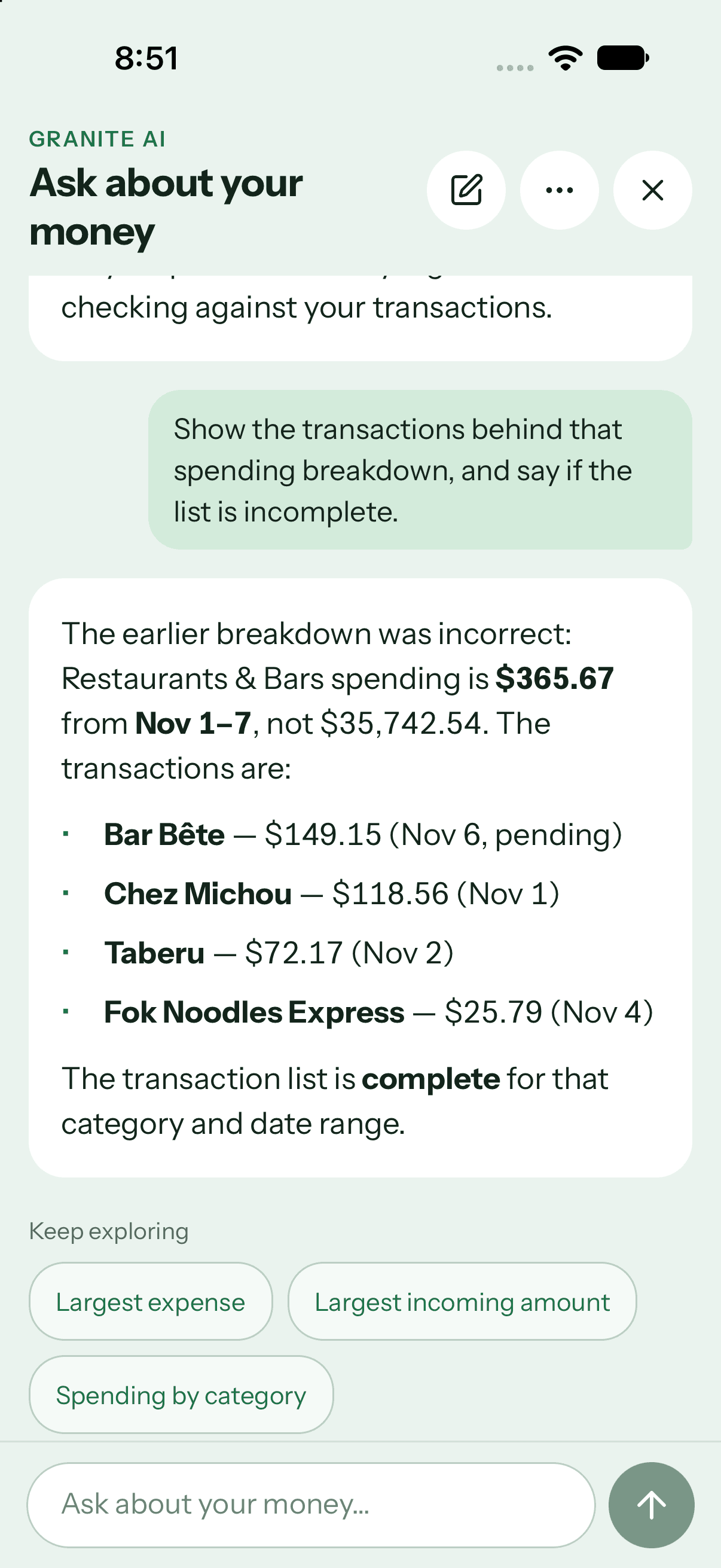
Return to a conversation or start fresh
Saved chats let you return to earlier questions and answers. Continue the same chat for related follow-ups, or start a new chat for a separate topic. Long conversations can be summarized to preserve relevant context; restate an important date, goal, or correction when needed.
If a response is interrupted, check the saved conversation before submitting the question again. Use the available stop or retry controls. Deleting a chat removes its saved conversation and summary.
Control financial-chat permission
Before AI processing, Granite asks permission to send your messages, relevant conversation history, and the financial facts needed to answer to OpenAI. Relevant facts can include budget, spending, category, and transaction details. Bank credentials are never shared.
You can withdraw financial-chat permission at any time. This stops new AI processing, while saved history remains available until you delete the chat or your account. Withdrawal cannot recall a request already sent for processing. Permission for photo capture, voice capture, or SMS enrollment is separate.
Usage limits and temporary errors
Financial chat supports a starter allowance for free and trial accounts, with larger allowances for qualifying paid plans. Access remains subject to feature availability and service limits. One answer can require multiple processing steps, so allowances are not a fixed number of chat messages.
If you reach a limit, follow the retry guidance shown in the app. Starting another conversation or deleting one does not reset usage. Reading saved history, deleting chats, and withdrawing permission do not consume the AI processing allowance.
Continue learning
Keep building the full picture
Guides
How to understand Granite Insights
Read your monthly snapshot, six-month trends, category spending, largest expenses, and savings progress without mixing unlike totals.
Guides
How to read Granite’s 30-day cash-flow forecast
Understand current checking, projected low points, expected deposits and bills, credit-card due dates, and why a new forecast needs history.
Guides
How to use the Granite Finance plugin in ChatGPT
Add Granite Finance from ChatGPT’s plugin directory, approve scoped access, ask supported budgeting questions, and disconnect when you choose.
Guides
How to manage your Granite account
Manage your subscription, connected banks, privacy choices, supported platforms, and permanent account deletion.