

Getting started
What is a daily budget? Meaning and examples
Learn what a daily budget means, see a simple example, and understand how Granite turns a monthly financial plan into useful spending context.
Daily budget meaning in one sentence
A daily budget is the amount of flexible spending a financial plan can support for one day after accounting for the money that needs to cover other priorities and the time left in the budgeting period.
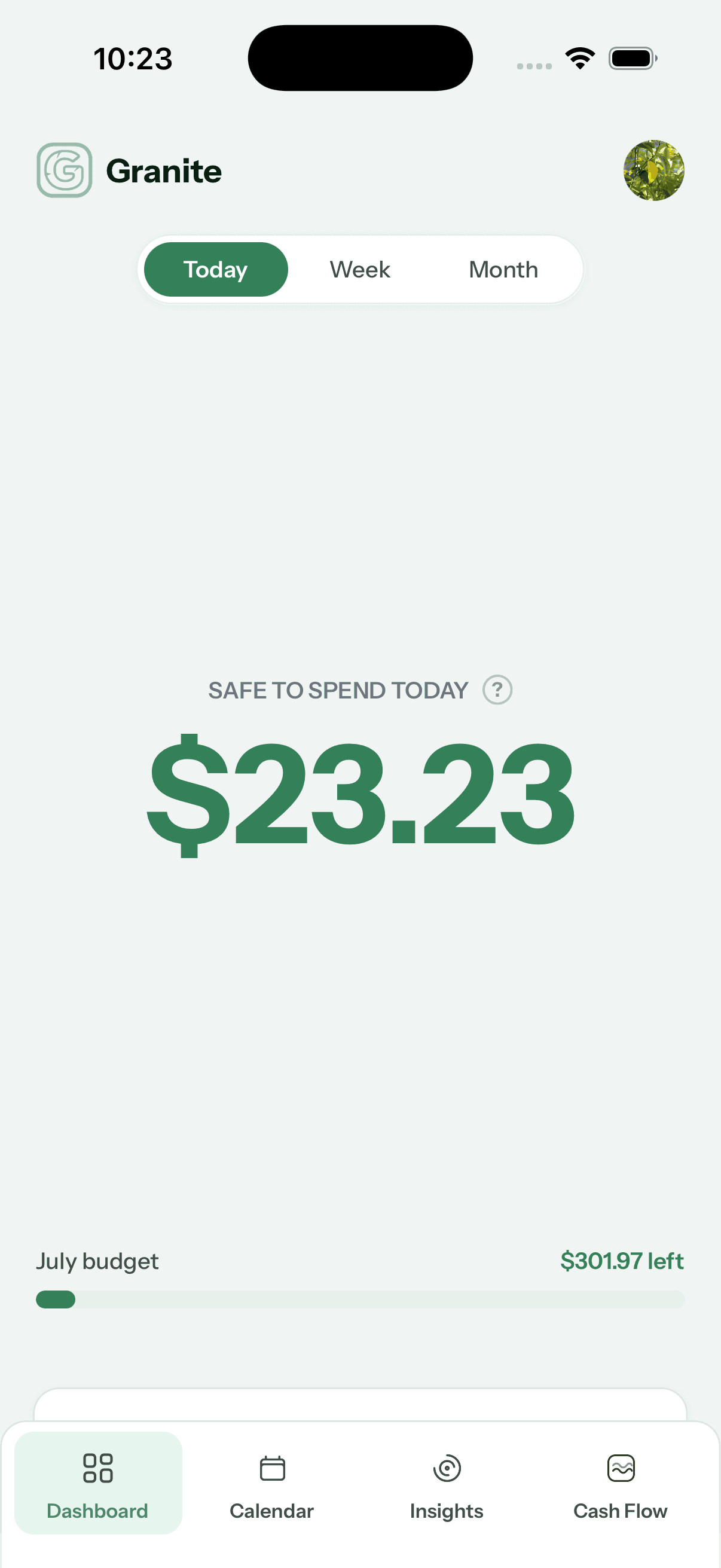
Your Granite daily budget is a current view of what may be safe to spend today while still respecting the income, recurring expenses, savings, investments, and eligible connected-account activity in your plan. It turns a month of moving pieces into useful context for the decision in front of you.
A simple daily budget example
Imagine that $450 remains for flexible spending after the month’s planned bills, savings, and other protected amounts, and there are 15 days left in the period. A simple even-paced estimate would be $30 per day.
That example explains the basic idea, not Granite’s internal calculation. Real budgeting context can change as purchases post, income arrives, plans are edited, pending activity becomes final, and the number of remaining days changes.
| Example input | Amount |
|---|---|
| Flexible money remaining | $450 |
| Days remaining | 15 |
| Simple daily estimate | $30 per day |
It is a boundary—not a spending assignment
Your daily budget is not a command to spend that amount. You do not lose unused money because you stayed home, made dinner, or decided you did not need the purchase after all. Spending less today can preserve more flexibility for later.
It is also not a grade. A lower number does not mean you are bad with money, and a higher number is not permission to ignore the rest of your financial life. Think of it as an informed boundary: useful context for a choice, not the choice itself.
What the number is trying to protect
- The recurring bills and obligations already in your plan
- Savings and investment amounts you chose to protect
- The eligible spending already visible from connected accounts
- The time remaining before the current budgeting period ends
Today, this week, and this month tell different stories
The daily view helps with the immediate purchase. The weekly view gives you room to think across several days—maybe dinner out tonight means a quieter weekend. The monthly view helps you understand the larger direction of the plan.
You do not need to check every view before buying a coffee. Use the level of context that fits the decision. The goal is greater awareness, not more financial homework.
The number is supposed to move
Your budget lives in the same world you do. Purchases post, income arrives, dates advance, and plans change. As eligible information becomes available from your connected accounts, Granite can update what remains safe to spend.
That movement is a feature, not a mistake. A static number would become less useful each time real life moved away from the original plan.
How to build the habit without obsessing
- Check before a discretionary purchase that feels meaningful to you
- Look again after an unusually expensive day or an unexpected deposit
- Use the weekly or monthly view when today’s number needs more context
- Update your plan when income, recurring expenses, savings, or dates change
- Review recent transactions when the number surprises you
You still make the decision
Granite can organize the information and show the tradeoff, but your priorities remain yours. Sometimes the right choice is to spend less. Sometimes the right choice is to use the room you intentionally created. Sometimes life requires spending outside the plan and adjusting afterward.
A good daily budget does not make decisions for you. It helps you make them with fewer surprises.
Continue learning
Keep building the full picture
Getting started
What is Granite Finance?
Learn how Granite turns your financial plan and connected-account activity into a daily budget, cash-flow context, and clearer spending decisions.
Getting started
Getting started with Granite in five minutes
Add the financial plan behind your budget, connect the accounts you use for spending, and know what to check first.
Guides
How transactions affect your Granite budget
Understand how purchases, income, pending activity, manual entries, edits, categories, and ignored transactions change what remains available.
Troubleshooting
Why did my daily budget change?
See why a daily budget can rise or fall after spending, income, pending transactions, transfers, plan edits, or the normal progression of the month.
Guides
Budgeting when you are paid monthly
Learn how to budget on one monthly paycheck while paying your credit-card statement, covering current expenses, and protecting savings.
Guides
How to read the Granite calendar
See daily spending, daily budget history, overspending days, and upcoming recurring activity in one monthly view.