

Guides
How to update income, savings, and investments in Granite
Keep the monthly income, savings, and investment amounts behind your Granite budget aligned with your real financial plan.
Start in Financial Overview
Open Granite, go to Settings, and expand Financial Overview. This is where you can review the monthly income Granite expects, the savings and investments you want to protect, and the baseline daily budget created from the plan currently on file.
These are planning amounts, not a judgment about what you should earn or save. Update them when your paycheck changes, you choose a new savings target, or your normal investment contribution moves.
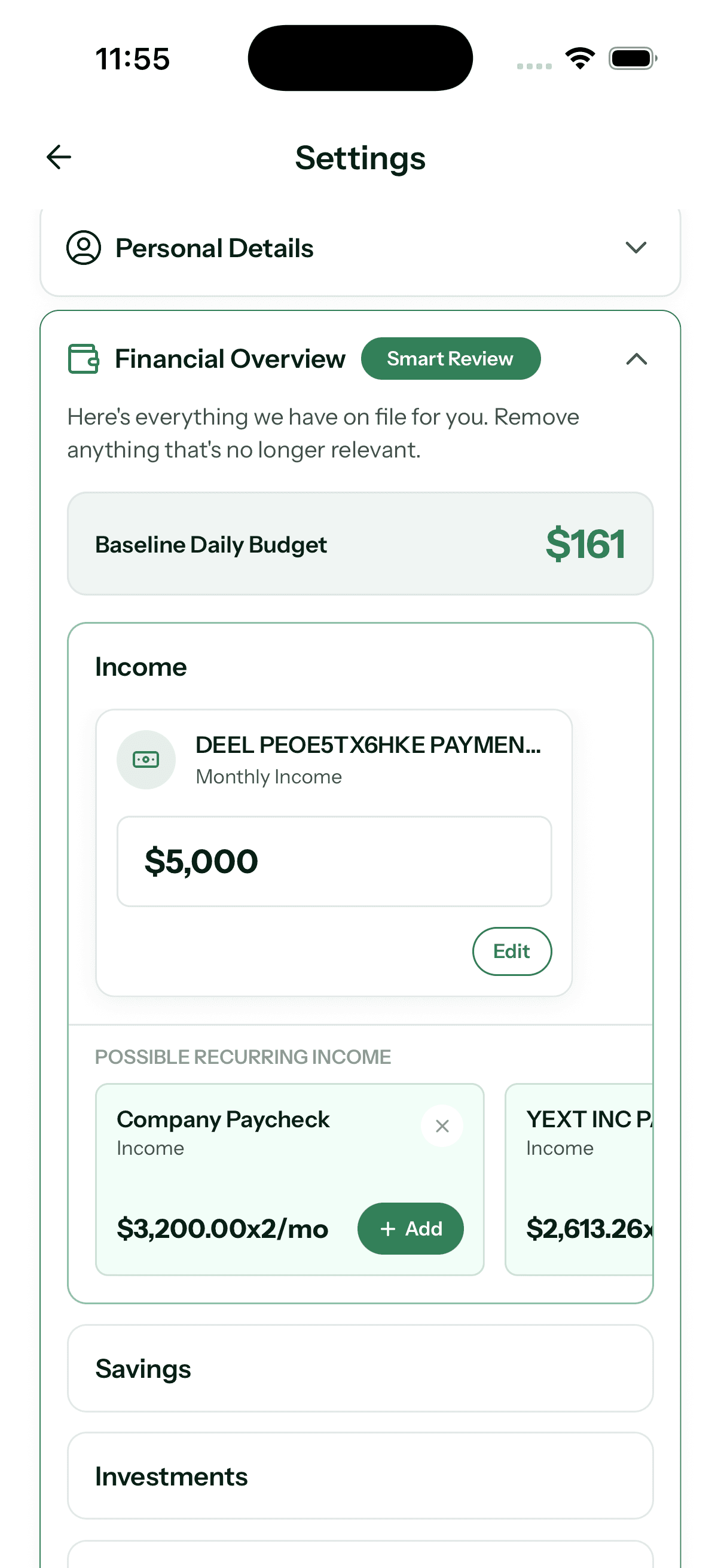
Update your monthly income
- Expand Income inside Financial Overview
- Tap Edit on the income already included in your plan
- Review any Possible Recurring Income suggestions and tap Add only when one represents income you expect to continue
- On the Monthly Income screen, keep the mapped items that still apply and adjust how often they occur
- Choose Update my estimate to use the observed total, or Edit estimate manually to enter your own monthly amount
Update savings and investments
Expand Savings or Investments and tap Edit. Each review screen lets you inspect the recurring items Granite is seeing, choose which mappings still count, adjust their monthly frequency, and compare the observed total with your saved estimate.
You can update the plan to the observed total or enter a monthly estimate manually. Use the number you genuinely intend to protect—not an aspirational amount that would make the rest of the month impossible to follow.
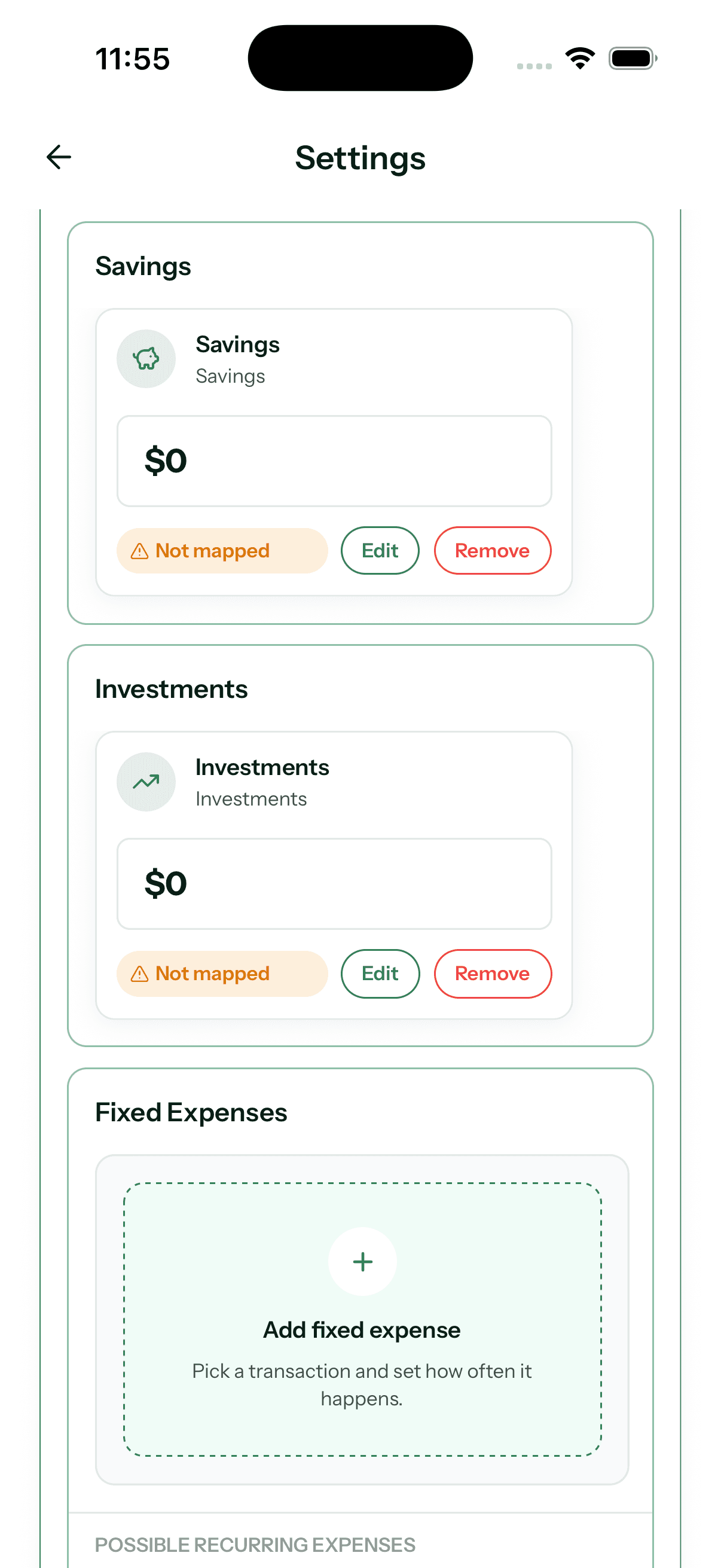
What “Not mapped” means
A Not mapped label means the saved plan item does not currently have an active recurring transaction mapping supporting it. The amount can still express your plan, but Granite is not tying it to a recurring transaction pattern at that moment.
Tap Edit to review the estimate and available mappings. If the savings or investment target no longer belongs in your plan, use Remove rather than leaving an outdated amount in place.
Give the daily budget a moment to catch up
After you save a change, Granite refreshes the financial information used by supported budget views. A higher protected savings or investment amount can leave less available for everyday spending, while a lower target or higher recurring income estimate can move the plan in the other direction.
If the result surprises you, confirm the monthly amount, the active mappings, and their frequency before changing the plan again. The goal is a useful reflection of the month you are actually trying to live.
Continue learning
Keep building the full picture
Guides
Budgeting when you are paid monthly
Learn how to budget on one monthly paycheck while paying your credit-card statement, covering current expenses, and protecting savings.
Getting started
What is a daily budget? Meaning and examples
Learn what a daily budget means, see a simple example, and understand how Granite turns a monthly financial plan into useful spending context.